New updates to Workspaces, Matters, and Library — now live in Irys.
Legal work runs on context. What matter is this for? Which documents are current? What still needs to happen, and where is everything? Most platforms force you to hold all of that in your head, in a folder structure on the side, or in a separate app entirely. The result is time spent managing instead of practicing.
Three updates are now live in your Irys account. Each one is designed to keep you in the work instead of around it.
Workspaces
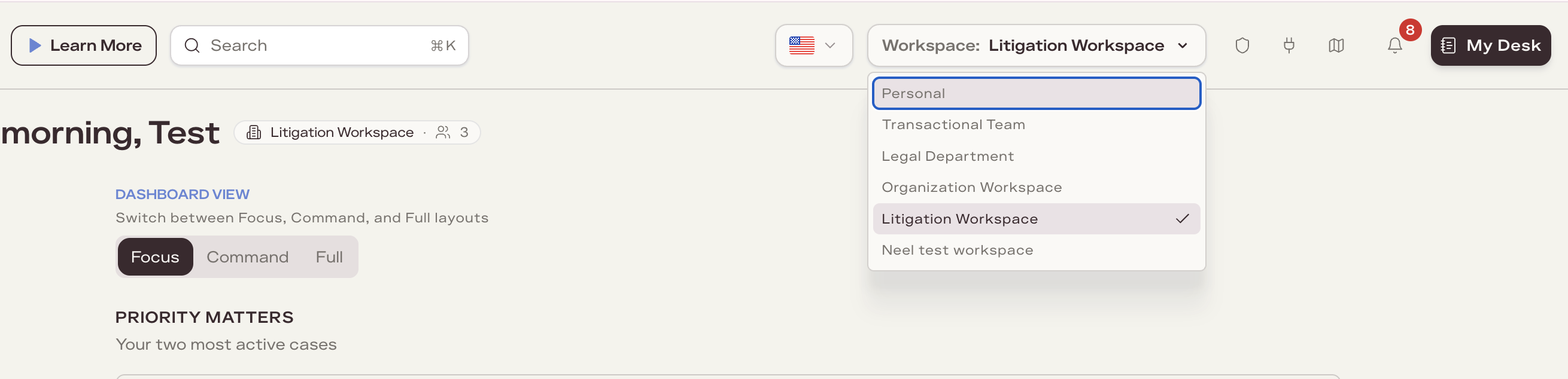
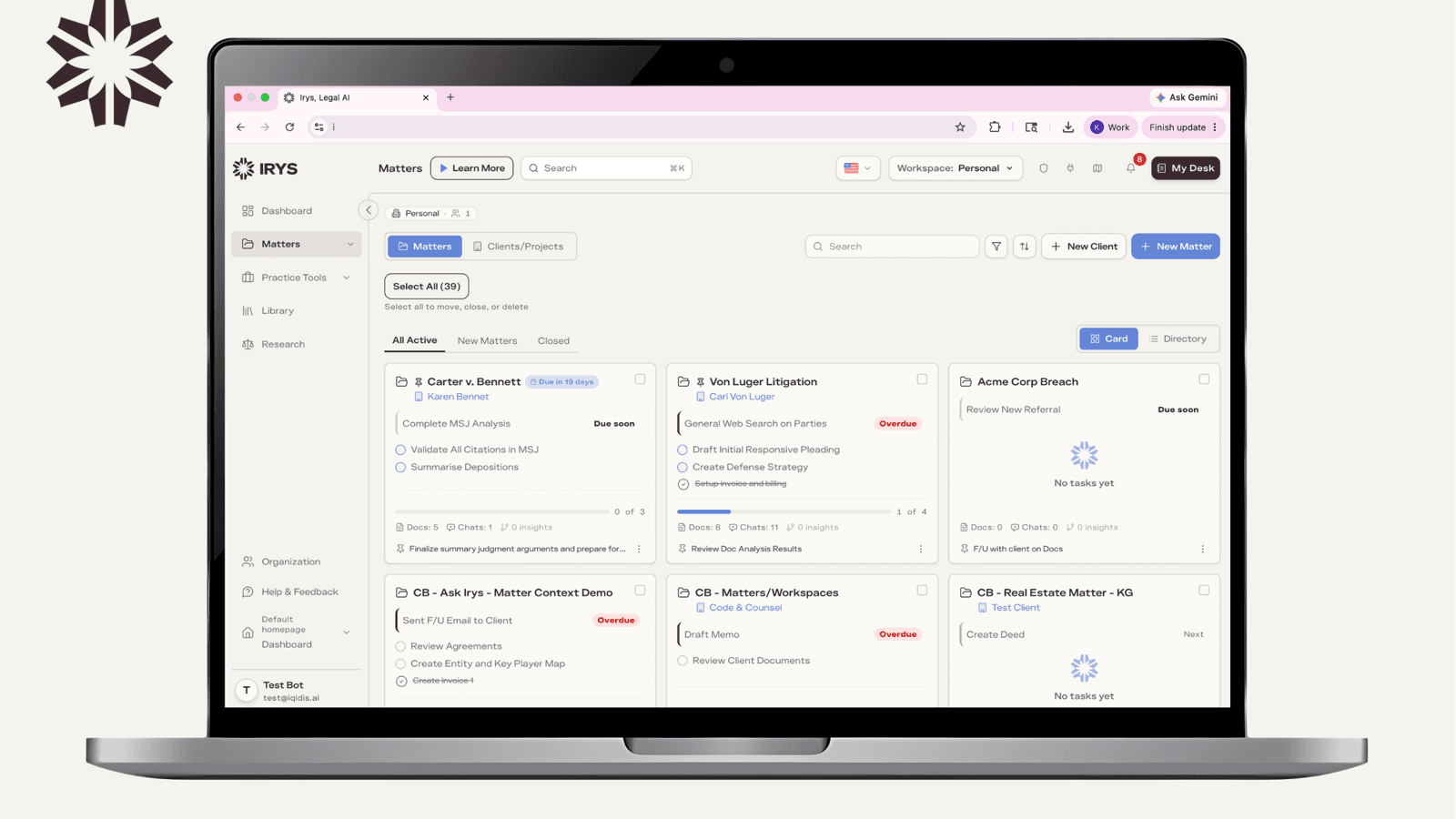
Your matters, documents, chats, and tasks now live inside Workspaces, organized around the way your practice actually runs. Organize by client, practice area, matter type, or anything else that reflects how you work. Come back to any of them and the right matters are there, exactly as you left them.
The access model is simple: if you are in a workspace, you see its matters. Everything inside a workspace stays together, with a hard line between what belongs in it and what does not. For solo practitioners, that means a clean, client-organized account. For firms on an Irys Teams plan, it means practice groups, clients, or conflict-sensitive matters each get their own space, with the right access per team member, shared workspaces, and role-based controls built in.
Matters
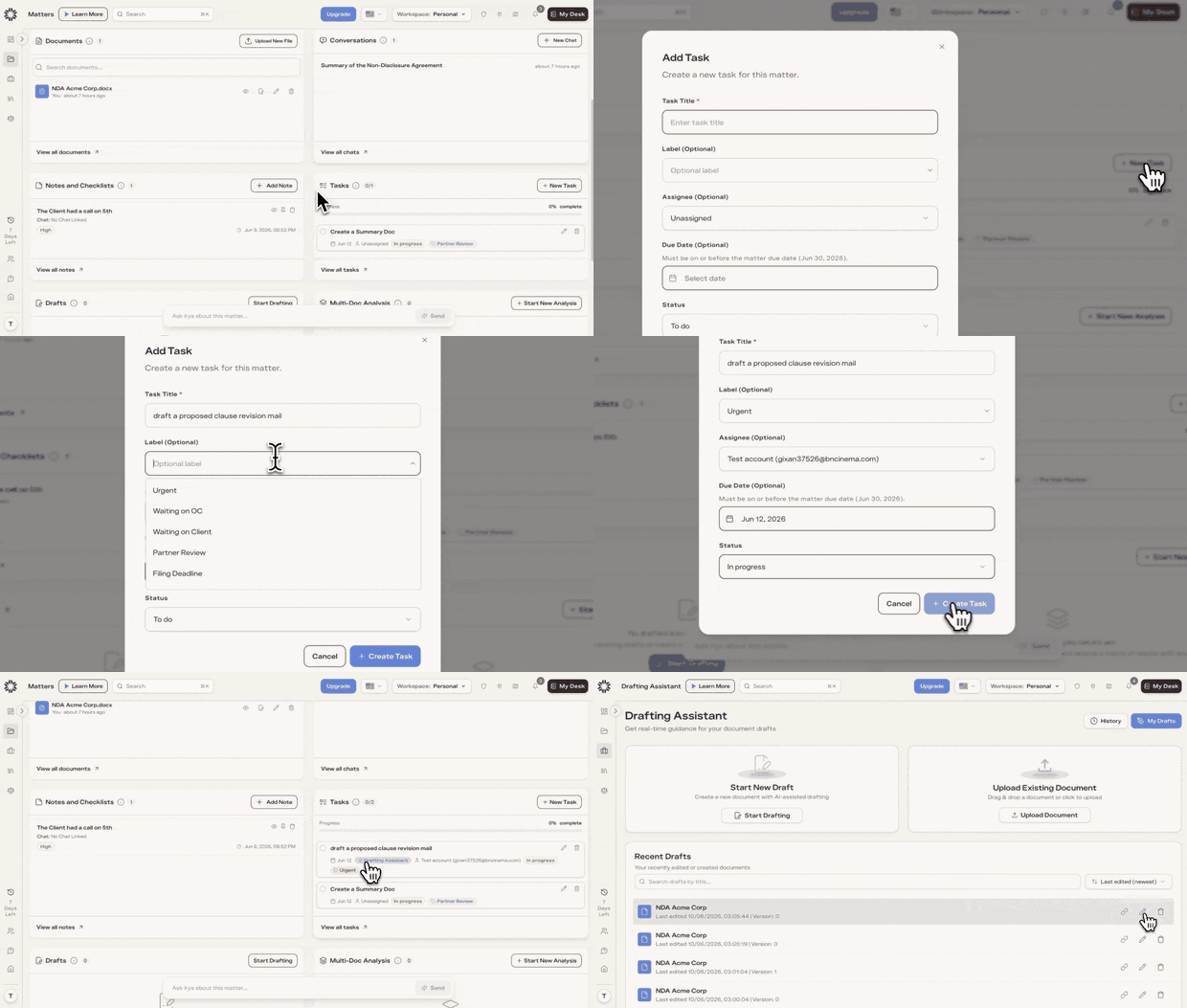
The matters you already have just got smarter, with two key changes.
Tasks are now built into every matter in Irys. Create a task for anything that needs to happen: a research question, a draft to review, a filing deadline. Set a due date and link it directly to the Irys tool that does the work. Click that link and the right context is already loaded. No separate to-do app. No tab-switching to remember where you left off.
“Ask Irys” is now in the matter — a chat bar within every matter, with the full AI Assistant built in: Everyday, Deep Research, and Agent modes. Ask anything about the matter and it answers with the matter’s documents, chats, notes, and tasks already in scope.
Assigning tasks to other team members and shared task visibility across the workspace is available with an Irys Teams subscription.
Library

Library is a redesigned document experience inside Irys, putting every document where it belongs and one click away from wherever the work continues. Files are organized by matter, easy to find, and directly connected to the tool that handles them. Open any document in Drafting Assistant or send it for signature from the same view. No downloading, no re-uploading, no tab-switching.
Documents generated in Irys including research memos, drafted agreements, and signed contracts, land back in Library automatically. The work and the record of the work stay in sync.
What it adds up to
Each of these updates connects to the same thing: the matter. The workspace scopes access to it. Tasks live inside it. Library organizes documents by it. Ask Irys answers questions about it, with the full picture already in view.
For firms working across practice groups or multiple attorneys on a matter, Irys Teams extends all of this with shared workspaces, team task assignment, and firm-wide access controls.
It’s live now. See it in action.